Build a face for the agent you already run.
Not a profile picture, and not a video clip. A rigged, expressive character that joins Teams, Zoom, Webex, and Google Meet as a named participant, speaks when it is addressed, and looks at whoever is talking. Design it in the browser, in a few minutes, without touching 3D software.
Pick a face. Not a prompt, not a polygon.
Face shape, eyes, brows, nose, mouth, hair, facial hair, glasses, headwear, outfit — each one a set of ready-made pieces you combine, with colour palettes for skin, hair, and eyes. Start from scratch, or upload a photo and start from that. Everything previews live, and nothing is saved until you say so.
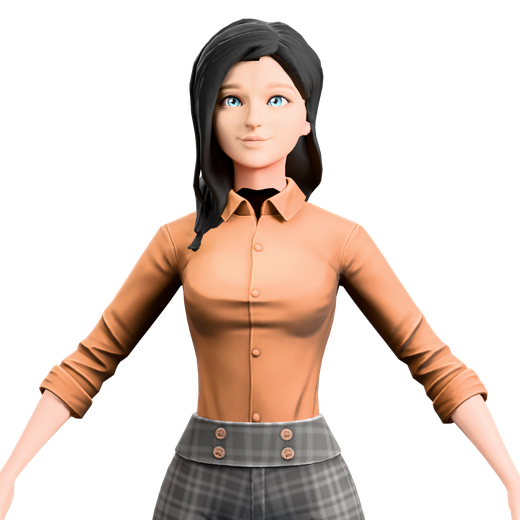
A face that can’t speak is rejected.
A good-looking model that can’t open its jaw is a still image with extra steps. So every finished avatar is inspected before it is allowed anywhere near a meeting: we read the rig and confirm it can actually drive a mouth, blink on its own, and move its eyes. If any of that is missing, the avatar doesn’t ship — you get told what’s wrong instead of finding out in front of a customer.
It is an unglamorous check. It is also the difference between a character that reads as present and one that reads as a screensaver.
Jaw and a fifteen-phoneme viseme set, driven by what it is actually saying.
An idle blink of its own, so it doesn’t stare through the call.
Eye movement toward whoever has the floor.
Fifty-two expression channels, so a reaction reads as a reaction.
Same character, different clothes. Name each one — “client calls”, “standup” — and switch whenever.
Changing the active look is one click in the console, and takes effect on the next meeting.
Group looks into a wardrobe and your teammate picks a different outfit each day, the way a colleague would.
Every deployment keeps its own face and its own wardrobe. Jim and Ariel never share a closet.
One character. A closet, not a costume.
A colleague who wore the same thing every single day would be strange, and after a fortnight your teammate wearing one outfit forever starts to feel like a stock photo. So a look is not the character — it is one of many. Build the face once, then build as many outfits for it as you want, and keep them side by side.
Today you choose which one is active. Shortly, you won’t have to — group a set of looks into a wardrobe and the teammate will pick from it each morning on its own.
A face, not a disguise.
A custom avatar exists so your teammate looks like it belongs to your company — not so it can pass for a person who works there. Avatars can’t be built to impersonate a real, identifiable individual, and no avatar changes what the teammate discloses: it still joins under a name your admins set, still carries the AI badge for the whole call, and still says out loud what it is when it arrives.
The face is the part you get to choose. The honesty is not optional.
The creator is for original characters, not for reproducing someone who exists.
Nothing about a custom face changes the no-biometrics commitment underneath.
Creating and switching avatars is a permissioned action, and every change is audited.
Twelve original characters are ready to use, and a static tile is always an option.
Two faces that came out of it.
Neither of these is one of our characters. Both were built with the creator, the same way yours would be — pick the features, pick a voice, and the result turns up to the meeting as a named participant. Open one to see it.
See it built, on your own agent.
We’ll stand up a teammate, design a face with you, and put it in a real meeting — on the agent you already run.